If you have a VM offline for over 60 days or a technical issue you might get in a state where you cannot logon to the VM anymore. You will get an error message that says:
“The trust relationship between this workstation and the primary domain failed”

When this appears you can select “OK” and sign in with local admin account for this VM and then follow step 2 in this blog. If you don’t know the credentials of the local admin account for this VM you follow step 1 and 2 in this blog.
Step 1 – Reset credential for local admin in Azure VM
- Go to portal.azure.com and select the VM that you are not able to sign-in from. In the left under help you will find reset password.
- From here you can enter an existing username if you know one or select a complete new one. Select a password and click “Update”.

After you done with step 2 you can clean up this user from the VM to strengthen your security.
Step 2 – Fix the trust relationship to the domain
- Connect to your VM and sign-in with existing local admin account or the account you created in step 1.
- I am using bastion host in a browser to connect to the VM.
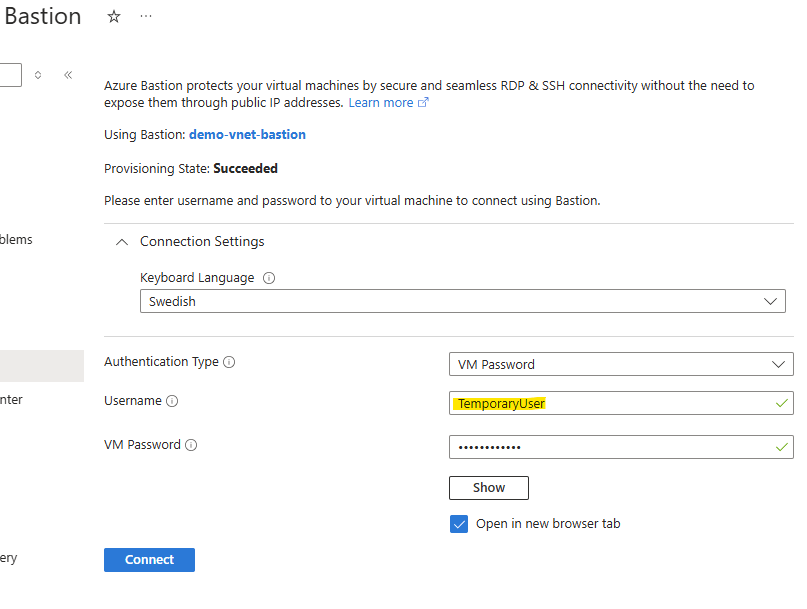
- When you have signed in to the VM you can start PowerShell as administrator.
- Now run the code snippet below and enter the domain password.
Test-computerSecureChannel -Repair -Credential domain\domainadmin -Verbose

Now you should be able to restart the computer and logon with your domain accounts.
 Microsoft Cloud Tech blog